
Design • 4 min read
Design — 10, April 2026
 Back
Back



Web3 is driving a digital revolution with decentralization and blockchain. However, many Web3 products need better design and usability. A polished UI/UX is crucial to making decentralized technologies more user-friendly. In this article, we will explore top UI/UX practices for Web3 platforms to ensure dApps are visually appealing and user-friendly, especially for newcomers to blockchain and cryptocurrency.
Web3 interfaces can often be intimidating due to their complexity, especially for non-technical users. This makes user-centered design one of the most critical aspects of Web3 UI/UX. Start by identifying your audience: Are they seasoned crypto veterans, or is your platform aimed at newbies dipping their toes into decentralized technologies? Conduct user research and test your designs with real users to understand their needs, pain points, and expectations.
Clear and intuitive navigation is essential. The design should guide users effortlessly through actions like connecting wallets, signing transactions, and understanding the functionality of smart contracts. Creating user flows that simplify these processes can help users interact with Web3 products more confidently.
Trust is a key aspect of Web3. Users are often dealing with financial transactions, managing assets, or interacting with decentralized protocols, so your design should inspire confidence. A clean, professional, and transparent UI can greatly enhance the perception of trustworthiness.
Incorporating visual cues that convey security measures, such as wallet encryption, transaction confirmations, or smart contract verifications, can reassure users. Simple messages like “Transaction Confirmed” or “Waiting for Blockchain Confirmation” give users clarity and prevent confusion.
Additionally, when asking for permission to access wallets or sign transactions, make it explicit what actions are being taken and why. This transparency builds trust and prevents users from feeling tricked or misinformed.
Minimalism is a powerful design principle that helps users focus on the essential aspects of the interface. Given the complexity of Web3 technology, it’s tempting to overload the interface with technical details. However, the key to success lies in presenting only what’s necessary for the user at any given moment.
Use clean layouts, large buttons, and clear calls to action to help users easily navigate your platform. Simplify the language and avoid blockchain jargon unless absolutely necessary. Instead, use user-friendly terms and provide explanations for more technical aspects in tooltips or info popups.
For instance, instead of saying, “Sign this transaction to authorize the smart contract interaction,” a simple “Approve this transaction” works better for most users. Always give the user the option to learn more with detailed information, but keep the interface itself uncluttered.
Small but thoughtful animations, known as micro-interactions, can make your dApp feel more interactive and responsive. These subtle design elements provide users with immediate feedback for their actions, improving overall usability.
For example, highlighting a button when hovered over or providing smooth animations when navigating between sections gives users the feeling of an actively engaged experience. Micro-interactions also make complex actions (like signing a transaction) feel smoother and more intuitive.
Chainlink and Safe are great examples of platforms that utilize micro-interactions effectively, creating a more dynamic user experience without overwhelming the user with flashy effects
For many users, Web3 is uncharted territory. Concepts like private keys, decentralized identity, and smart contracts can be confusing. It’s crucial to incorporate user education within your design, particularly during onboarding.
Create informative and interactive onboarding flows that guide users through key concepts. Use simple language, infographics, or short explainer videos to demonstrate how to create a wallet, manage keys, and interact with your dApp. Including a “New to Web3?” section, as Avalanche does, can help onboard newcomers by providing simplified instructions and resources.
Incorporate pop-up glossaries or tooltips next to technical terms to explain unfamiliar concepts. This helps users feel more confident and reduces friction in adopting the technology.
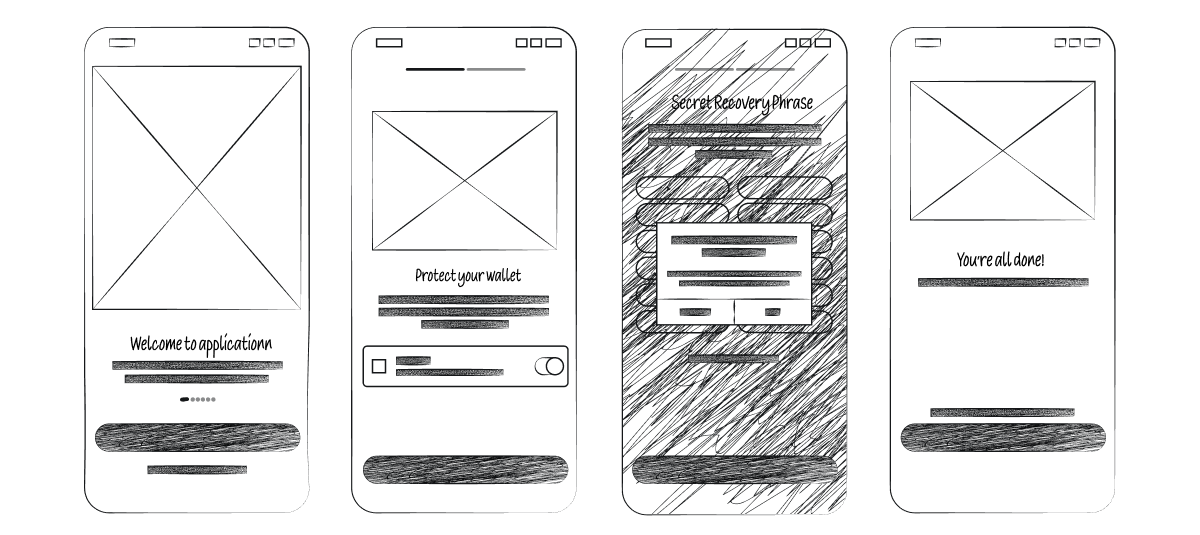
Web3 applications rely on digital wallets for user authentication and transactions. Your UI must make wallet integration as seamless as possible. Whether your users are connecting a MetaMask wallet or a hardware wallet, the process should be frictionless and straightforward.
Make sure wallet interactions are well-explained and provide feedback for successful and failed connections. Show clear progress indicators during wallet connections or while waiting for transaction confirmations. These small details can significantly improve the user experience and minimize frustration.
No matter how beautiful or user-friendly your UI is, slow performance can ruin the user experience. In Web3, speed is even more crucial due to the real-time nature of blockchain transactions. Users expect immediate feedback, and even a slight delay can be detrimental to trust and engagement.
To optimize performance, choose modern, lightweight tech stacks. Many Web3 platforms, such as Safe, use Next.js to achieve fast load times and smooth animations. Ensure that dApps load quickly, handle blockchain data efficiently, and respond promptly to user interactions.
As more users access dApps via mobile devices, having a responsive design that works flawlessly on smaller screens is a must. Your Web3 platform should be mobile-friendly, ensuring all key functionalities (like wallet access and transaction execution) are accessible from smartphones or tablets.
Optimize layouts for touch interfaces, use larger touch targets for buttons, and ensure text is legible on smaller screens. This helps create a consistent and enjoyable experience across devices, whether users are accessing your platform from a desktop or a mobile device.
Consistency in design helps build familiarity and reduces the cognitive load for users. Use uniform color schemes, typography, button styles, and spacing across different screens of your application. Consistent UI patterns ensure that users don’t have to relearn how to interact with each part of your platform as they navigate from one screen to another.
Make sure that the visual and interaction design remains cohesive across the entire experience. This consistency not only improves usability but also strengthens your brand identity.
Finally, it’s essential to make your Web3 platform accessible to everyone, including users with disabilities. Follow accessibility standards like the Web Content Accessibility Guidelines (WCAG) to ensure your dApp is usable for all.
Use alt text for images, ensure sufficient contrast between text and backgrounds, and provide keyboard navigation support. Consider users with visual impairments by offering dark mode or color-blind-friendly options. Accessibility is not just a feature — it’s a necessity that improves the inclusivity and reach of your product.
In the world of Web3, a great user experience is just as important as the technology powering it. By prioritizing user-centric design, simplifying complex blockchain interactions, and maintaining a fast, responsive, and accessible platform, you can significantly improve your dApp’s usability and user retention.
Adopting these best UI/UX practices will help bridge the gap between the complex nature of Web3 and user-friendly design, making your decentralized platform more approachable and engaging for everyone.







At our core, we believe in delivering high-quality designs in days, not weeks. This ensures that your project stays on track and progresses smoothly, minimizing delays and maximizing efficiency.

